Introduction
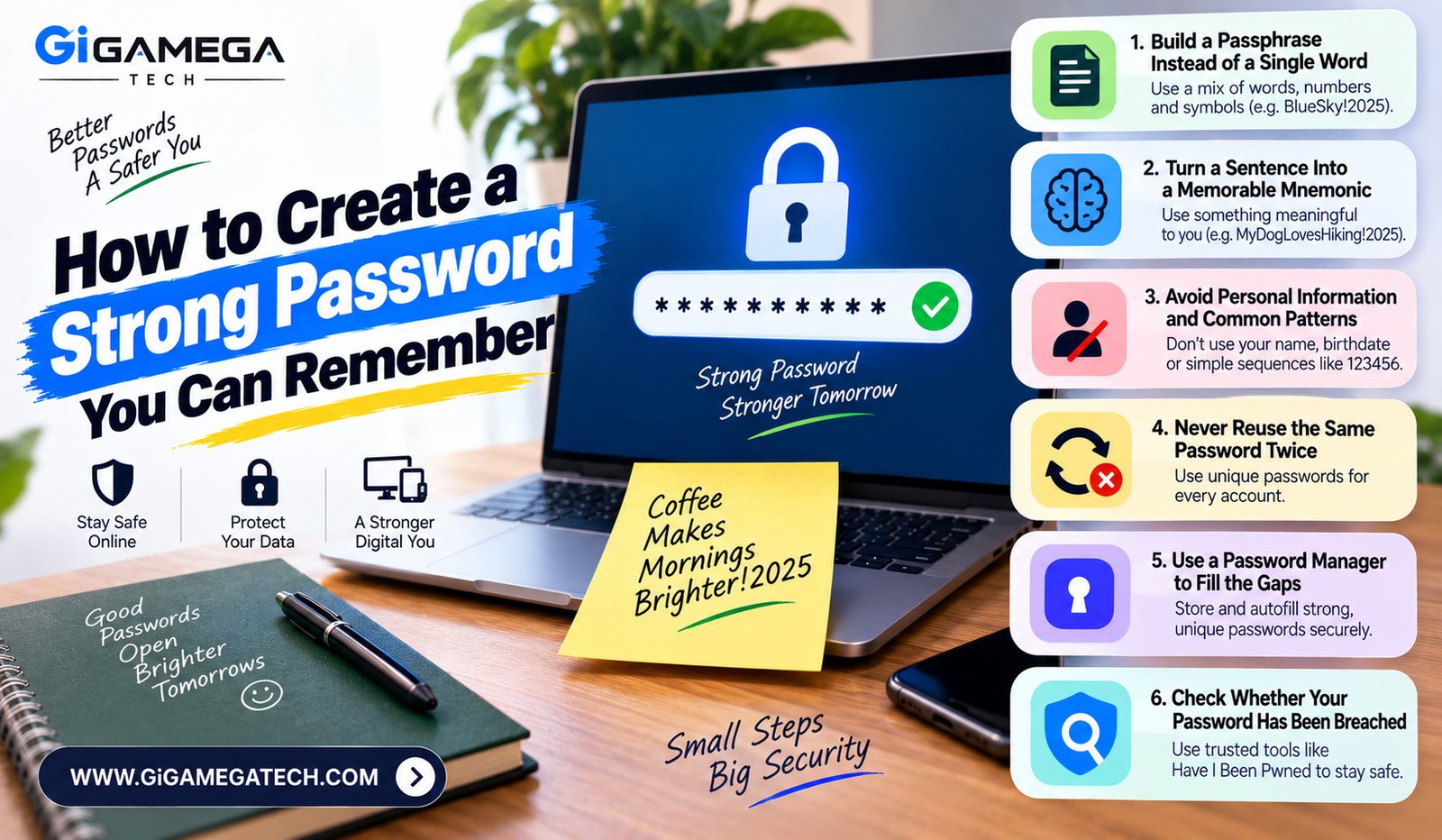
Most people default to short, familiar passwords because remembering a long string of random characters feels impossible. Learning how to create a strong password you can remember solves both problems at once, giving you real security without forcing you to write everything down on a sticky note. This guide covers seven practical techniques, from passphrases to memory tricks, that build passwords strong enough to resist modern attacks.
Strong passwords come down to three basic principles: length, randomness, and uniqueness. Once you build habits around those three ideas, remembering your passwords gets far easier than you might expect.
Why Length Matters More Than Complexity
A common myth is that piling on symbols and numbers automatically creates a strong password. In reality, length matters more than complexity when it comes to resisting brute-force attacks.
Why Longer Passwords Win
- Every extra character multiplies the number of possible combinations
- A long password without symbols often resists cracking better than a short one packed with them
- Security experts generally recommend at least twelve to sixteen characters
Instead of squeezing complexity into a short password, aim for length first. A longer password built from ordinary words is often both stronger and easier to remember than a short jumble of symbols.
Build a Passphrase Instead of a Single Word
A passphrase strings together several unrelated words rather than relying on one word with substitutions. This approach gives you length and randomness without demanding a complicated memory trick.
How to Build a Good Passphrase
- Pick four or five random, unrelated words instead of a single word
- Avoid common phrases, quotes, or lyrics that attackers might guess
- Add a number and a symbol somewhere within the phrase
- Consider using a Diceware word list to generate truly random word combinations
A passphrase like a string of unrelated words with a number and symbol mixed in tends to be both longer and easier to recall than a short, complex jumble of characters.
Turn a Sentence Into a Memorable Mnemonic
If a passphrase still feels hard to recall, try building a password from a sentence that means something to you personally, without including any private information tied to your identity.
Steps to Build a Mnemonic Password
- Think of a sentence you will not forget, unrelated to your personal details.
- Take the first letter of each word in the sentence.
- Mix in capital letters, a number, and a symbol.
- Adjust the result until it meets the length and character requirements of the site.
For example, a sentence like “I walked my dog four times this week” could become a password using the first letters, a number, and a symbol woven throughout. The sentence itself becomes your memory aid, even though the resulting password looks random to anyone else.
Avoid Personal Information and Common Patterns
Attackers often try personal details first, since so many people build passwords around information that is easy to guess or find online.
Information to Avoid
- Birthdays, anniversaries, or graduation years
- Names of family members, pets, or partners
- Simple keyboard patterns, like sequential numbers or adjacent keys
- Common substitutions, such as swapping a letter for a similar-looking symbol
These patterns show up constantly in leaked password databases, which means automated cracking tools already expect them. Avoiding them removes an entire category of easy guesses.
Never Reuse the Same Password Twice
Reusing a password across multiple accounts means a single data breach can expose every account tied to that password, not just the one that was actually breached.
Why Unique Passwords Matter
- Attackers use “credential stuffing,” trying leaked passwords across many different sites
- One compromised account can quickly turn into several once a password is reused
- Even a strong password becomes a liability the moment it appears in more than one place
Building a different password for every account might sound overwhelming, but a password manager, covered next, removes most of that burden.
Use a Password Manager to Fill the Gaps
You do not need to memorize dozens of unique passwords yourself. A password manager stores and generates strong, unique passwords for every account, while you only need to remember one master password.
How a Password Manager Helps
- Generates long, random passwords for every new account automatically
- Stores everything behind a single encrypted vault
- Autofills login details across apps and websites
- Removes the temptation to reuse a familiar password out of convenience
With a password manager handling most of your accounts, you can focus your memory on just a small handful of critical passwords, like your master password and your email login.
Check Whether Your Password Has Been Breached
Even a strong password should be replaced immediately if it shows up in a known data breach. Several tools let you check this without much effort.
How to Check for Breaches
- Use a reputable breach-checking tool tied to your email address
- Many password managers include built-in breach monitoring
- Replace any flagged password immediately, even if it still looks strong on paper
A password that leaks in a breach is compromised regardless of how well it was built originally, so checking periodically closes a gap that strength alone cannot fix.
Key Takeaways
- Prioritize length: Aim for at least twelve to sixteen characters over piling on symbols.
- Use passphrases: Combine several unrelated words rather than one complex word.
- Try mnemonics: Build a password from a memorable sentence known only to you.
- Skip personal details: Avoid birthdays, names, and predictable keyboard patterns.
- Stay unique: Never reuse the same password across more than one account.
- Use a manager: Let a password manager generate and store unique passwords for you.
- Check for breaches: Replace any password that appears in a known data leak right away.
Frequently Asked Questions
Is a longer password always better than a complex one?
Yes, in most cases a longer password resists cracking better than a shorter password packed with symbols.
How often should I change my passwords?
You should change a password immediately if it appears in a data breach, rather than on a fixed schedule.
Are passphrases actually more secure than random character strings?
Yes, a long passphrase made of unrelated words can be just as secure as a random string while being far easier to remember.
Do I still need strong passwords if I use two-factor authentication?
Yes, two-factor authentication adds a second layer of protection, but a weak password still leaves your account more vulnerable overall.
Is it safe to write passwords down on paper?
Writing passwords down is safer than reusing weak ones, though a password manager offers stronger, more convenient protection.
Conclusion
Learning how to create a strong password you can remember comes down to combining length, randomness, and a personal memory trick that only makes sense to you. Passphrases and mnemonics solve the memory problem, while avoiding personal details and reused passwords closes the most common security gaps. Pair these habits with a password manager, and you get real protection without the daily struggle of trying to recall a dozen random strings.