Introduction
Good content starts with a good edit. The best video editing apps for content creators turn raw clips into something worth watching, without demanding a full production studio.
Whether you are cutting short clips for social media or building longer videos for a channel, choosing the right tool matters. This guide covers several popular editing apps, what each one does well, and where each one has limits.
What Content Creators Should Look For in an Editing App
Different creators need different things. A person editing quick clips on a phone has different priorities than someone producing longer videos on a laptop.
Still, a few features matter across the board. These include:
- Multi-track editing for layering video, audio, and text
- Export quality up to at least 1080p or higher
- Templates or presets to speed up repetitive edits
- Royalty-free music or sound libraries built in
- Reasonable pricing, since many creators are working with tight budgets
CapCut Best for Beginners
CapCut has become one of the most widely used mobile editing apps, largely thanks to its simple interface and built-in effects. New editors tend to pick it up within minutes.
The app includes auto-captions, transitions, and text animations, all common needs for short-form content like reels and shorts. Templates also let you drop your own clips into a pre-built style.
One especially useful feature is its auto-caption tool, which transcribes spoken audio into on-screen text automatically.
Strengths
- Very beginner-friendly layout
- Strong template library for short-form content
- Free with most core features included
Drawbacks
- Some advanced effects require watermark removal purchases
- Less suited for longer, complex video projects
InShot Best for Quick Social Media Edits
InShot focuses on fast, simple edits meant for platforms like Instagram and TikTok. It trims the learning curve down to the basics: cut, trim, add music, export.
The app supports multiple aspect ratios, which matters since social platforms often require different dimensions for stories, reels, or feed posts.
A helpful feature is its canvas resizing tool, letting you switch between square, vertical, and widescreen formats without starting the edit over.
Strengths
- Fast, intuitive editing for short clips
- Good aspect ratio flexibility across platforms
- Affordable premium tier
Drawbacks
- Free version includes a visible watermark
- Limited advanced color correction tools
Adobe Premiere Rush Best for Cross-Device Editing
Premiere Rush connects to Adobe’s broader ecosystem, letting you start an edit on your phone and finish it later on a desktop. Projects sync automatically between devices.
This makes it a solid pick for creators who move between a laptop and a phone throughout the day, without wanting to redo work twice.
The app includes multi-track timelines, closer to desktop editing software than most purely mobile apps offer.
Strengths
- Seamless project sync between phone and desktop
- More advanced timeline controls than basic mobile editors
- Familiar interface for existing Adobe users
Drawbacks
- Subscription required for full feature access
- Steeper learning curve than simpler mobile-only apps
LumaFusion Best for Professional Mobile Editing
LumaFusion is built specifically for serious mobile editors who want desktop-level control without leaving their tablet or phone. Many professional creators use it as their main tool.
It supports multiple video and audio tracks, keyframing, and detailed color correction, features usually reserved for desktop software.
A key strength is its multi-track audio mixing, allowing separate control over background music, voice, and sound effects in the same project.
Strengths
- Professional-level editing tools on a mobile device
- Strong audio control and mixing options
- One-time purchase rather than a recurring subscription
Drawbacks
- Only available on iOS, not Android
- Higher upfront cost than most mobile editing apps
DaVinci Resolve Best Free Desktop Editor
DaVinci Resolve stands out because its free version includes tools normally locked behind paid software elsewhere, including color grading and audio mixing.
Many professional editors use Resolve for both hobby projects and paid client work, which speaks to how capable the free tier really is.
Its standout feature is the built-in color grading suite, considered one of the strongest available in any editing software, free or paid.
Strengths
- Extremely powerful free version
- Professional color grading tools
- Regularly updated with new features
Drawbacks
- Steep learning curve for beginners
- Requires a fairly powerful computer to run smoothly
VN Video Editor Best for Balanced Features
VN Video Editor sits between beginner apps and professional software, offering a reasonably deep toolset without becoming overwhelming.
It supports multi-track editing, keyframe animation, and speed curve adjustments, while still keeping the interface approachable for newer editors.
A helpful feature is its cross-platform availability, working consistently across both mobile and desktop with a similar layout on each.
Strengths
- Solid middle ground between simple and advanced tools
- Free with no watermark on exports
- Consistent experience across mobile and desktop
Drawbacks
- Smaller template library compared to CapCut
- Fewer built-in stock assets than some competitors
Choosing the Right App for Your Content Style
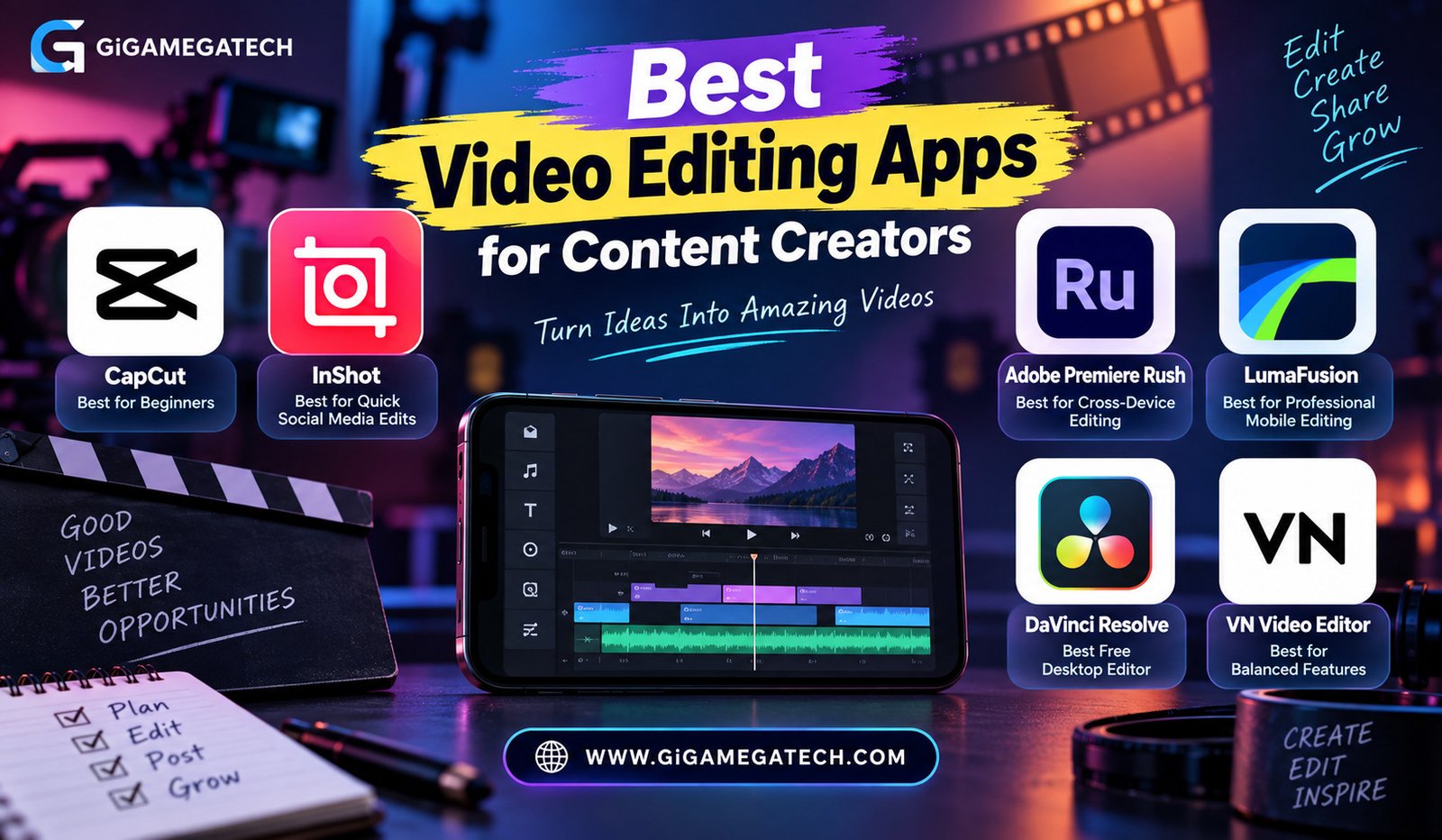
If you are just starting out, CapCut or InShot will get you editing quickly without a steep learning curve. Both suit short-form content well.
Creators who split work between devices should consider Premiere Rush, while those wanting serious mobile-only power should look at LumaFusion.
For desktop editing without spending money, DaVinci Resolve remains hard to beat, provided your computer can handle it. VN Video Editor works as a solid middle choice if you want more control without full complexity.
Key Takeaways
- Best for beginners: CapCut, with templates and auto-captions
- Best for quick social edits: InShot, focused on speed and simplicity
- Best for cross-device work: Adobe Premiere Rush, syncing phone and desktop
- Best for professional mobile editing: LumaFusion, with desktop-level tools
- Best free desktop editor: DaVinci Resolve, including color grading
- Best balanced option: VN Video Editor, between simple and advanced
FAQs
Which video editing app is best for beginners?
CapCut is widely considered the easiest app for new editors to start with.
Can I edit videos for free without a watermark?
Yes, apps like VN Video Editor and DaVinci Resolve allow watermark-free exports on their free versions.
Is LumaFusion available on Android?
No, LumaFusion is currently only available on iOS devices.
Do I need a powerful computer for DaVinci Resolve?
Yes, DaVinci Resolve runs best on a computer with a reasonably strong processor and graphics card.
Can I start editing on my phone and finish on a computer?
Adobe Premiere Rush supports syncing projects between mobile and desktop devices.
Conclusion
Finding the best video editing apps for content creators depends on your device, your budget, and how complex your projects get. CapCut and InShot suit fast social content, Premiere Rush and LumaFusion suit mobile creators wanting more control, and DaVinci Resolve remains a strong free choice for desktop work. Pick the tool that matches your workflow, and editing becomes far less of a bottleneck.