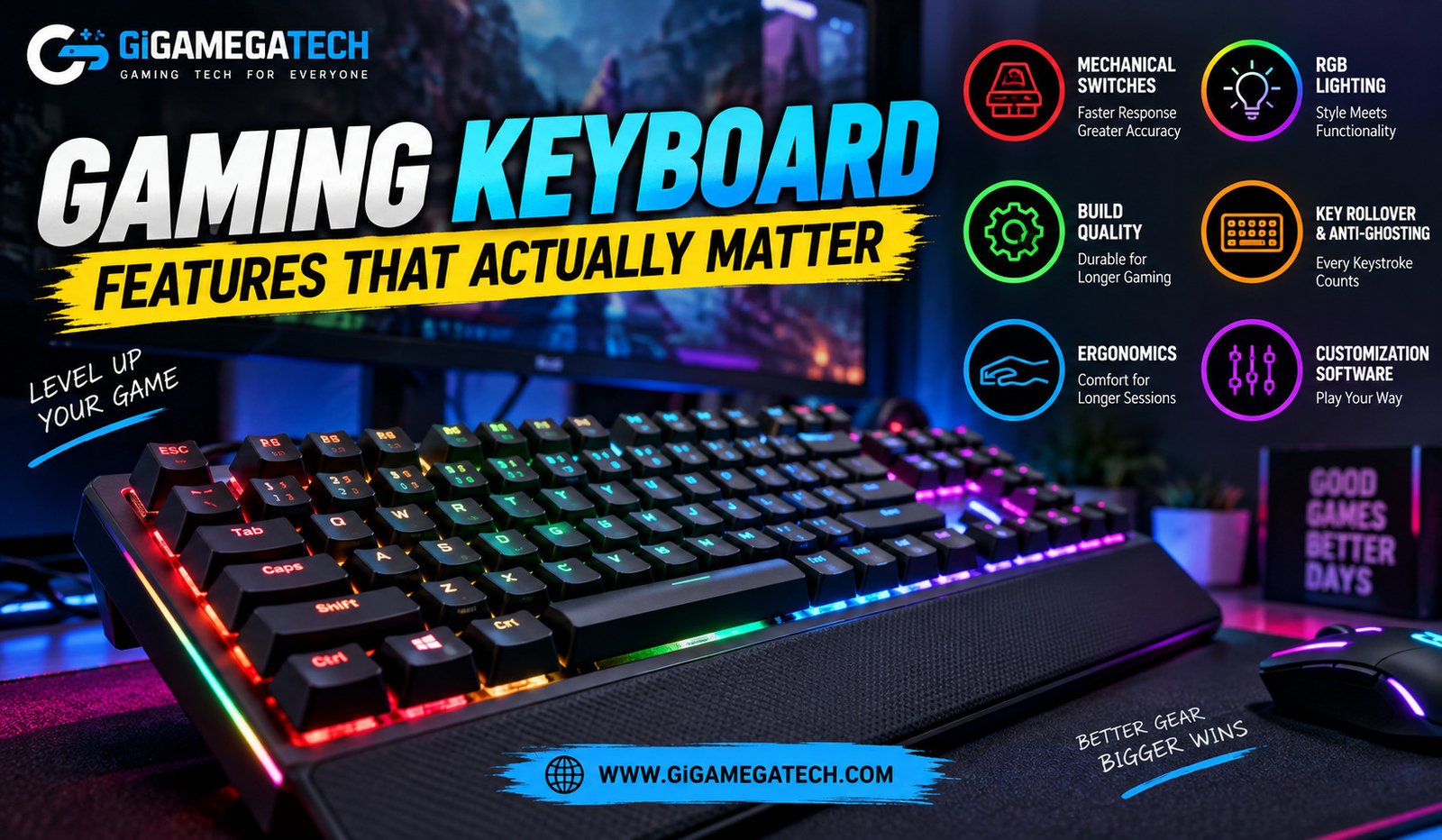
Walk into any electronics store and the gaming keyboard wall looks overwhelming. Bright lights, bold branding, and long spec sheets make it hard to know what actually improves your gameplay. This guide breaks down the gaming keyboard features that make a real difference, so you can skip the marketing noise and focus on what matters.
Switch Type and Actuation
The switch is the mechanism under each key, and it shapes how a keyboard feels and performs more than almost any other spec.
Mechanical vs Membrane
Mechanical switches use an individual spring and contact point under every key, giving consistent feel and durability. Membrane keyboards rely on a rubber layer beneath the keys, which tends to feel mushier and wears differently over time.
Linear, Tactile, and Clicky Switches
- Linear switches move smoothly with no bump, favored by many competitive players for fast repeated presses.
- Tactile switches include a small bump partway down, giving feedback without a loud click.
- Clicky switches add an audible click alongside the tactile bump, which some players enjoy and others find distracting.
Actuation Point
Actuation point refers to how far a key must travel before it registers. A shorter actuation distance can register presses faster, which matters most in fast paced competitive games.
Polling Rate and Response Time
Polling rate determines how often your keyboard reports its status to your PC, measured in times per second.
What Polling Rate Means in Practice
A higher polling rate reduces the small delay between pressing a key and the action registering on screen. Most modern gaming keyboards offer at least 1000Hz polling, which is generally enough for the vast majority of players.
Diminishing Returns at Higher Rates
Some newer keyboards advertise polling rates well above 1000Hz. The difference beyond this point is small for most people, and other factors like switch type usually matter more for how a keyboard feels in practice.
Build Quality and Layout
A keyboard you plan to use daily needs to hold up physically, not just perform well on paper.
Frame and Materials
Keyboards with an aluminum top plate tend to feel sturdier and flex less than fully plastic builds. This matters most for players who type or game with a firmer hand.
Full Size, Tenkeyless, and Compact Layouts
- Full size keyboards include a number pad, useful for spreadsheet work alongside gaming.
- Tenkeyless boards drop the number pad, saving desk space for mouse movement.
- Compact layouts go even smaller, often removing arrow keys or function rows to save further space.
Cable and Connectivity Options
Wired keyboards avoid any wireless delay, while quality wireless boards have closed much of that gap in recent years. If you choose wireless, look for a keyboard with a dedicated 2.4GHz dongle, since it generally performs better for gaming than standard Bluetooth.
Keycaps and Typing Feel
Keycaps affect both durability and how a keyboard feels under your fingers over months of use.
Keycap Material
- ABS keycaps are common and affordable, though they can develop a shine over time from finger oils.
- PBT keycaps resist shine better and often feel slightly more textured.
Keycap Profile and Shape
Different keycap profiles change the height and curve of each row, which affects comfort during long sessions. Trying a keyboard in person, when possible, helps you judge whether a particular profile suits your typing style.
Stabilizers
Larger keys, such as the space bar and shift keys, rely on stabilizers to prevent wobble. Poorly tuned stabilizers can create a rattling sound, so checking reviews for stabilizer quality is worth the extra step before buying.
Lighting and Software Extras
Lighting gets a lot of marketing attention, but its practical impact on performance is limited.
RGB Lighting
Customizable lighting looks appealing and can help you see keys in a dark room, but it has no direct effect on how fast or accurate your inputs are. Treat it as a preference rather than a performance feature.
Companion Software
Many keyboards include software for remapping keys, creating macros, and adjusting lighting profiles. A well designed app makes these features easy to set up, while a clunky one can make even good hardware frustrating to configure.
Onboard Memory
Keyboards with onboard memory store your settings directly on the device. This means your remaps and lighting profiles carry over to another computer without needing to reinstall software.
Extra Features Worth Considering
A few smaller details can meaningfully affect daily comfort and convenience.
N-Key Rollover
N-key rollover ensures every key you press registers correctly, even when pressing several keys at once. This matters in games that require multiple simultaneous inputs, such as strafing while reloading.
Media Controls and Extra Buttons
Dedicated volume knobs or media buttons add convenience for adjusting sound without leaving your game. These extras are not essential, but they can reduce small interruptions during play.
Wrist Rests
A detachable wrist rest can improve comfort during long sessions, particularly for players who rest their hands on the desk while typing. Not every keyboard includes one, so check before assuming it comes in the box.
Key Takeaways
- Switch type shapes feel most: Linear, tactile, and clicky switches each suit different playstyles.
- 1000Hz polling is enough for most players: Higher rates offer smaller returns than switch choice.
- Build quality affects longevity: Aluminum frames and quality stabilizers hold up better over time.
- PBT keycaps resist shine: A small upgrade that improves long term feel and appearance.
- RGB is cosmetic: Lighting adds style but does not improve performance.
- N-key rollover matters for complex inputs: Important for games requiring multiple simultaneous key presses.
FAQs
Do gaming keyboards actually improve performance over regular keyboards?
Yes, features like faster actuation and reliable rollover can reduce missed or delayed inputs during fast paced play.
Is a higher polling rate always better for gaming?
Not necessarily, since most players will not notice a meaningful difference beyond 1000Hz.
Are mechanical keyboards worth the extra cost over membrane keyboards?
For most gamers, yes, due to their more consistent feel and generally longer lifespan.
Does RGB lighting affect gaming performance?
No, RGB lighting is a visual preference and has no direct effect on input speed or accuracy.
Should I choose a wired or wireless gaming keyboard?
Wired keyboards avoid any wireless delay entirely, though a quality wireless keyboard with a dedicated dongle performs well for most players.
Conclusion
Sorting through gaming keyboard features becomes much easier once you know which specs genuinely affect your experience. Switch type, build quality, and keycap material tend to matter most for day to day feel and performance, while polling rate above 1000Hz and RGB lighting offer smaller practical benefits. Focus your budget on the fundamentals that suit your playstyle, and treat the flashier extras as a bonus rather than a deciding factor.