Introduction
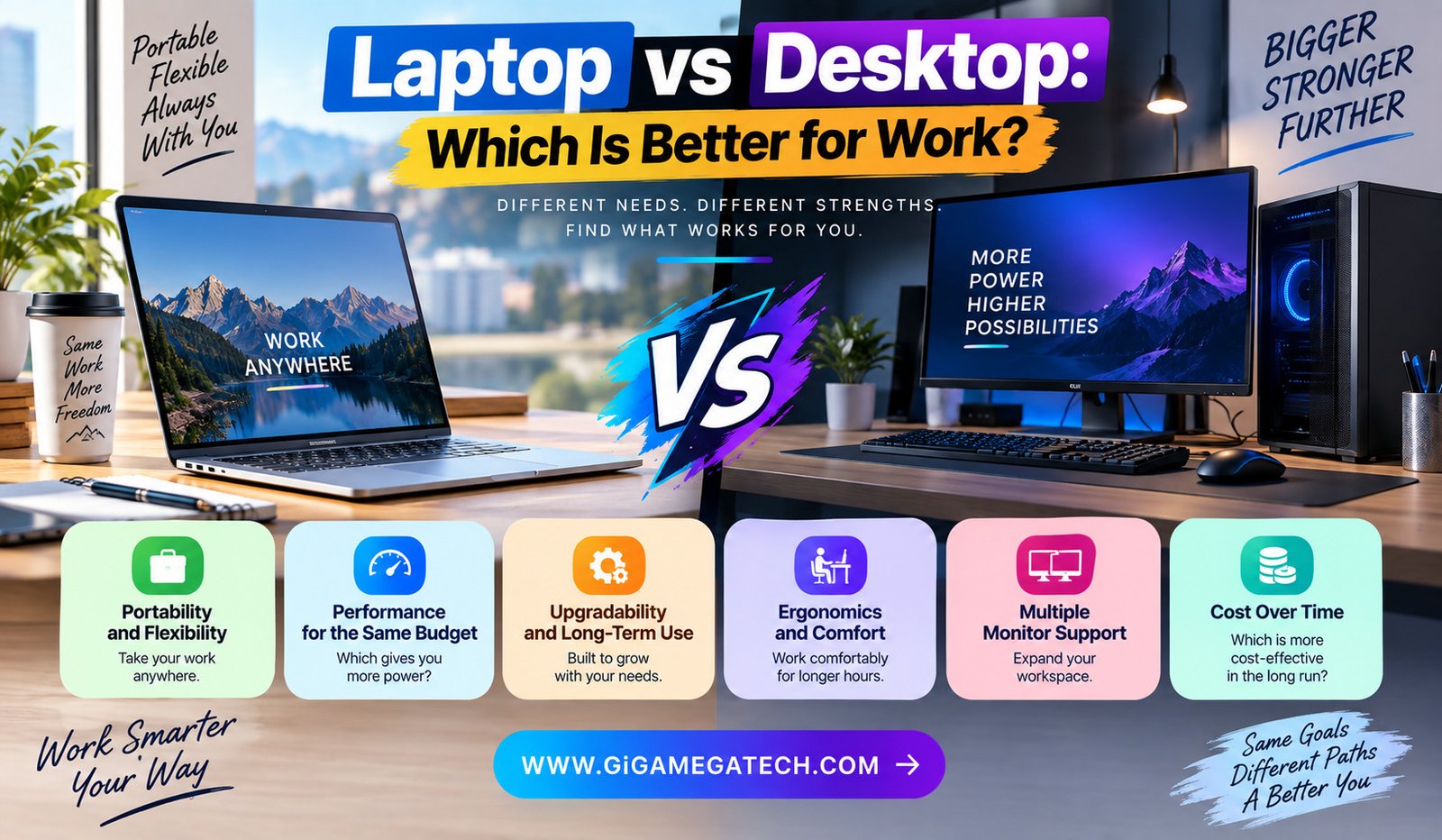
Deciding between laptop vs desktop for work is not about which one is objectively better. It comes down to how and where you actually get things done.
Some jobs demand mobility, while others benefit from raw power and a comfortable, permanent setup. This guide walks through the main factors worth weighing before you decide.
Why This Decision Depends on How You Work
Remote work, hybrid schedules, and freelance jobs have made this decision more complicated than it used to be. Fewer people work from one fixed desk all day, every day.
If your job requires moving between locations, a desktop simply is not practical. If your job stays fixed at one desk, a desktop can offer real advantages a laptop cannot easily match.
Consider these questions before deciding:
- Do you work from the same location every day, or move around often?
- Does your work require heavy processing power, like video editing?
- Do you already have a laptop for basic tasks and need something for heavier work?
- How much desk space do you actually have available?
Portability and Flexibility
Laptops win clearly here. You can work from a coffee shop, a different room, or while traveling, without needing to transfer files between devices.
Desktops stay fixed in one location, which works fine for people with a dedicated home office but becomes a limitation for anyone needing flexibility.
If your work involves client meetings outside the office or frequent travel, a laptop is close to a requirement rather than just a preference.
Where laptops clearly win
- Working from multiple locations throughout the week
- Traveling for business or personal reasons
- Needing to bring your work setup to meetings
Performance for the Same Budget
Desktops generally offer more raw performance per dollar spent, since desktop components do not need to be shrunk down to fit inside a thin, portable case.
This means a desktop at a given price point can often outperform a similarly priced laptop for tasks like video rendering, heavy spreadsheets, or running multiple demanding programs at once.
For work involving heavy processing tasks, a desktop typically delivers more performance for the same amount of money spent.
Where desktops clearly win
- Video editing and rendering work
- Running multiple resource-heavy programs simultaneously
- Tasks requiring a dedicated graphics card at a lower price point
Upgradability and Long-Term Use
Desktops are generally far easier to upgrade over time. Adding more RAM, a bigger hard drive, or a new graphics card is usually straightforward on most desktop towers.
Laptops, especially modern thin designs, often have components soldered in place, making upgrades difficult or entirely impossible after purchase.
This difference matters for long-term value, since a desktop can often be kept useful for years longer through targeted component upgrades.
Key differences
- Desktop components are typically modular and replaceable
- Laptop upgrades are often limited to storage, if possible at all
- Desktops can be kept relevant longer through gradual upgrades
Ergonomics and Comfort
Extended laptop use, especially without an external keyboard or monitor, tends to strain the neck and wrists due to the fixed screen and keyboard position.
Desktops paired with a separate monitor, keyboard, and mouse allow for a far more ergonomic setup, with each component positioned independently for comfort.
For anyone working full days at a computer, ergonomics becomes a real factor affecting long-term comfort and health, not just a minor preference.
Key differences
- Desktops allow independent positioning of screen, keyboard, and mouse
- Laptops often require additional accessories to achieve similar comfort
- Prolonged laptop-only use can contribute to poor posture over time
Multiple Monitor Support
Many jobs benefit heavily from multiple screens, like comparing documents side by side or keeping communication tools visible while working elsewhere.
Desktops generally support multiple monitors more easily, often through dedicated graphics cards designed for exactly this purpose.
Laptops can also support external monitors, though the total number and configuration options are sometimes more limited by the laptop’s ports or graphics capability.
Key differences
- Desktops often support more simultaneous external displays
- Laptops may require docking stations for full multi-monitor setups
- Graphics card capability affects how many monitors can run smoothly
Cost Over Time
Upfront laptop and desktop prices can look similar, but the full picture includes accessories, upgrades, and eventual replacement costs.
A desktop might need an additional monitor purchase initially, while a laptop already includes a built-in screen as part of its base price.
Over a longer period, desktops often prove more cost-effective through upgrades, avoiding a full replacement purchase as often as laptops typically require.
Key differences
- Laptops include the display as part of the initial purchase
- Desktops may require separate monitor and peripheral purchases
- Long-term upgrade costs tend to favor desktops over several years
Making the Right Choice for Your Work Style
If your work requires moving between locations, a laptop remains the clear choice, regardless of any performance trade-offs involved.
If you work from one fixed location and need strong performance for demanding tasks, a desktop generally offers better value and comfort over time.
Some people land on a hybrid solution entirely, using a laptop for portability paired with an external monitor and keyboard at their main desk for the best of both setups.
Key Takeaways
- Best for flexibility: Laptops, for working across multiple locations
- Best for raw performance per dollar: Desktops, for heavy processing tasks
- Best for long-term upgrades: Desktops, through replaceable components
- Best for ergonomics: Desktops, allowing independent screen and keyboard positioning
- Best for multiple monitors: Desktops, generally supporting more displays easily
- Best hybrid approach: A laptop paired with an external monitor at a fixed desk
FAQs
Is a desktop always more powerful than a laptop at the same price?
Generally yes, desktops tend to offer more raw performance per dollar than comparably priced laptops.
Can laptops support multiple external monitors?
Yes, though the number supported often depends on the laptop’s ports and graphics capability.
Are desktops easier to upgrade than laptops?
Yes, desktop components are typically more modular and easier to replace or upgrade over time.
Is a laptop necessary for remote work?
Not always, though a laptop offers more flexibility if your remote work involves changing locations often.
Can I combine a laptop with a desktop-like setup?
Yes, pairing a laptop with an external monitor, keyboard, and mouse creates a similar experience at a fixed desk.
Conclusion
Weighing laptop vs desktop for work ultimately depends on how and where you get things done. Laptops offer flexibility and portability, while desktops generally deliver better performance, ergonomics, and long-term upgrade potential for a fixed workspace. Consider your actual daily work pattern honestly, and the right choice becomes far clearer.