A brand new laptop feels great for about a day. Then you open it and realize there is almost nothing on it. That is exactly where the best free software for a new Windows PC comes in handy. You do not need to spend money right away to make the machine fully usable. In this article, we will walk through the tools worth installing first, grouped by what they actually help you do.
Why Free Software Is Worth Installing First
Out of the box, a Windows PC comes with the operating system and not much else. There is no office suite ready to go, no media player built for your habits, and no backup system running in the background.
Free software fills those gaps fast. Many of the tools on this list are not obscure picks either; they are widely used programs that millions of people rely on daily.
Setting things up early has a practical benefit too. You avoid that annoying moment where you need a specific tool right when you are busy and end up grabbing whatever pops up first in a search result.
Best Free Software for Security
Security should come before almost anything else on a new machine. It is the one category where waiting even a few days can cause real problems.
Built-In Windows Security
Windows already ships with a capable antivirus and firewall tool at no extra cost. For most people doing normal browsing, email, and work tasks, this covers day to day protection without needing a separate paid product.
Password Managers
Reusing the same password everywhere is one of the most common security mistakes people make. A free password manager, such as Bitwarden, creates and stores strong, unique passwords for each account, so a single leaked password does not put every account at risk.
Getting these two pieces in place early is a small step that pays off the first time something goes wrong somewhere else on the internet, not on your machine.
Best Free Software for Productivity
Once security is sorted, the next thing most people need is a way to actually get work done. Writing, planning, and basic document handling come up almost immediately on any new PC.
Here are the productivity tools worth installing early:
- A free office suite for documents, spreadsheets, and presentations, such as LibreOffice or WPS Office
- A note taking app for quick reminders and longer notes, such as Microsoft OneNote or the free tier of Notion
- A PDF reader for viewing and filling out documents, such as Adobe Acrobat Reader or Sumatra PDF
- A calendar app that syncs across your devices, such as Google Calendar
Most of these free options cover the same basic needs as their paid counterparts. They will not have every advanced feature, but for everyday tasks like writing a letter, building a simple budget, or reading a contract, they hold up well.
Best Free Software for Media and Entertainment
Not everything on a new PC has to be about work. Media playback matters too, especially if you keep local video or music files instead of streaming everything.
Video Players
The default Windows video app does not always handle every file format smoothly. A flexible video player, such as VLC Media Player, supports a wide range of formats and saves you from hunting for extra software the moment you try to open one odd file type.
Music Players
If you keep a local music library rather than relying purely on streaming apps, a dedicated music player such as MusicBee or Foobar2000 organizes your collection far better than a web browser tab ever could.
Which of these matters more to you really depends on your habits. Someone who streams everything through a browser might only need the video player, while a person with years of downloaded music will want both.
Best Free Software for File Management
As a PC fills up with downloads, screenshots, and work documents, staying organized becomes its own small job. This is where file management tools earn their place.
Compression Tools
Sending multiple files at once often still means zipping them first. A free compression tool such as 7-Zip lets you create and open zipped files without any extra hassle, and it handles other archive formats too.
Cloud Backup Apps
Hardware fails. Drives die. A free tier cloud backup app, such as Google Drive, Microsoft OneDrive, or Google Photos, protects your important files against that kind of loss, and you do not need to pay anything to get started.
Setting up backup early, before you actually need it, is one of those habits that feels unnecessary right up until the day it saves you.
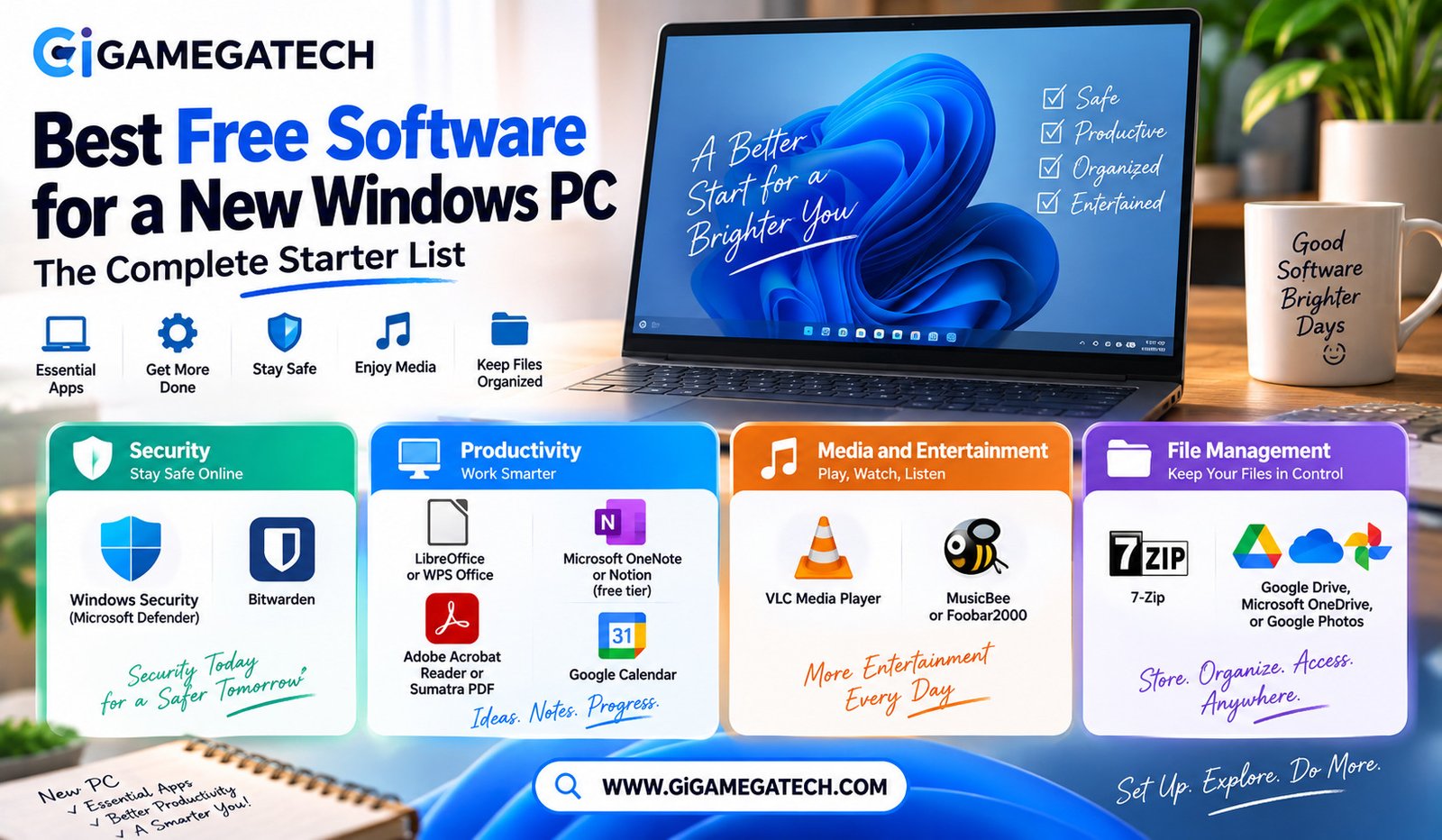
Quick Reference: Software List
Here is the full list of tools mentioned in this article, grouped by category:
Security
- Windows Security (Microsoft Defender)
- Bitwarden
Productivity
- LibreOffice or WPS Office
- Microsoft OneNote or Notion (free tier)
- Adobe Acrobat Reader or Sumatra PDF
- Google Calendar
Media and Entertainment
- VLC Media Player
- MusicBee or Foobar2000
File Management
- 7-Zip
- Google Drive, Microsoft OneDrive, or Google Photos
Key Takeaways
- Most important first install: Basic security software, or simply Windows’ built-in protection.
- Best for daily work: A free office suite paired with a note taking app.
- Best for entertainment: A flexible video player and a dedicated music player.
- Best for organization: A reliable compression tool for shared files.
- Best long-term habit: Setting up free tier cloud backup as early as possible.
FAQs
Is Windows’ built-in security enough for most users?
Windows’ built-in security tools are generally sufficient for everyday use without needing additional paid software.
Are free office suites compatible with Microsoft Office files?
Most free office suites can open and save files in common Microsoft Office formats without major formatting issues.
Do free password managers store passwords safely?
Reputable free password managers use encryption to keep stored passwords secure on your device or in the cloud.
Can free cloud backup apps handle large files?
Free cloud backup plans usually come with limited storage, so very large files may eventually need a paid upgrade.
Should I install antivirus software in addition to Windows Security?
Windows Security is often enough on its own, though some users still choose extra antivirus software for added peace of mind.
Conclusion
Putting together the best free software for a new Windows PC does not require spending a rupee to end up with a fully working machine. Security tools, productivity apps, media players, and file management software cover nearly everything a new PC needs from day one. Install these five categories early, and the computer stops feeling empty and starts feeling like yours.