Picture playing a brand new, graphics heavy game on an old laptop with no gaming card at all. That is the basic promise of cloud gaming. Instead of your own device doing the hard work, a remote server does it for you and sends the picture back over the internet. In this article, we will cover what cloud gaming is, how the technology behind it functions, and what you need to try it yourself.
What Is Cloud Gaming?
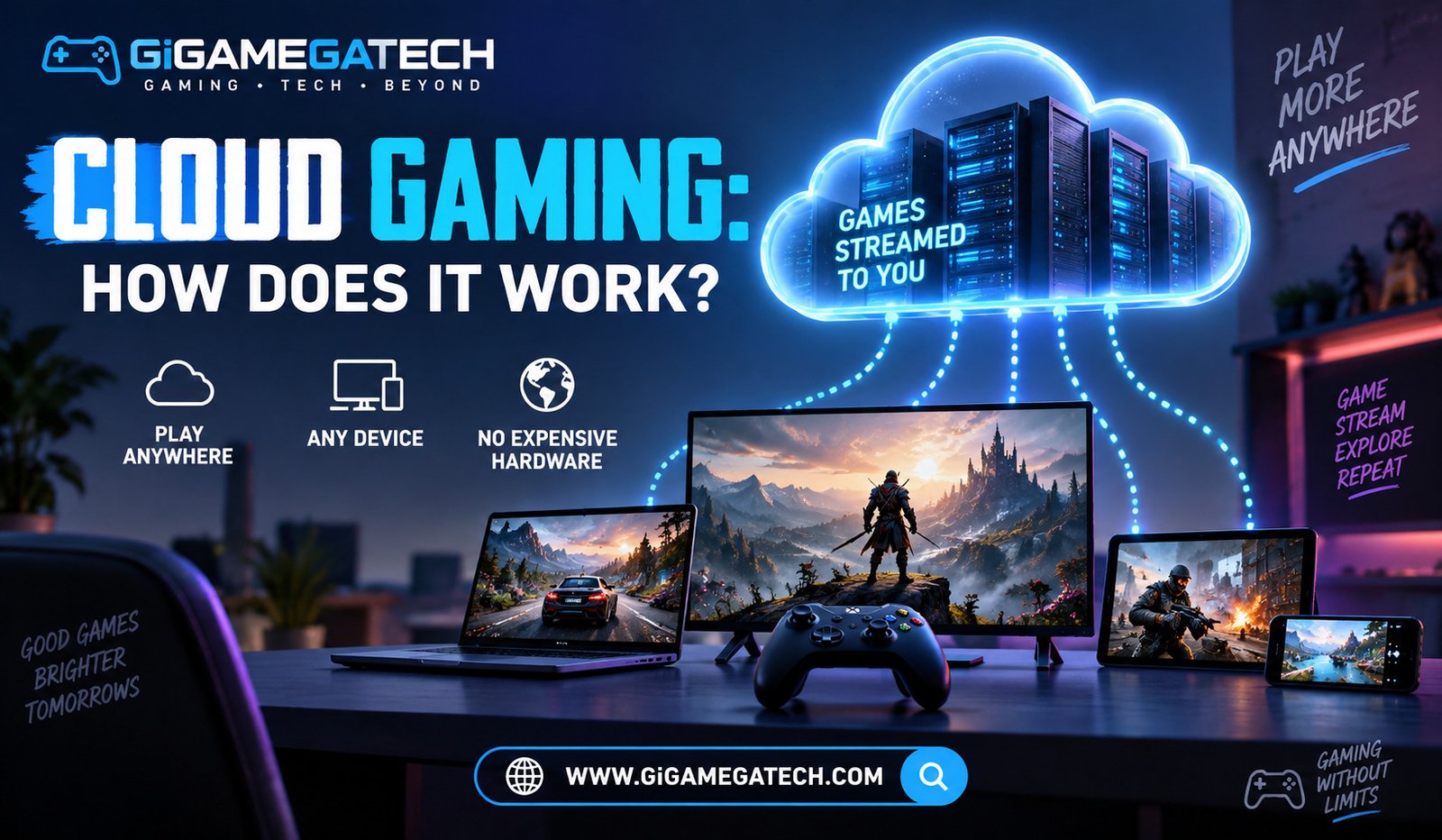
Cloud gaming is a way to play video games without installing them on your own device. The game actually runs on a powerful server in a data center, not on your PC, phone, or console.
Your device becomes more of a window into the game. It shows the video, plays the sound, and sends your button presses back to the server. People sometimes call this game streaming, since the idea is close to how a service like Netflix streams a movie to your screen.
The main draw is simple. You get access to demanding, high end titles on cheap hardware, because the remote server handles all the rendering.
The Technology Behind Cloud Gaming
A few pieces of technology work together to make cloud gaming possible. None of them are new on their own, but combining them well is what makes the experience feel smooth.
Data Centers and Servers
The games run on machines inside data centers, often built with hardware similar to a high end gaming PC. These servers have strong graphics cards and processors so they can render fast paced games in real time.
Video Encoding
Once the game renders a frame, that frame has to be turned into video and sent to you quickly. Providers commonly use compression formats such as H.264 or the newer H.265 to shrink the video file size without losing too much quality, so it can travel over an ordinary internet connection.
Edge Computing
Some providers place smaller data centers closer to groups of users, a method known as edge computing. Placing servers nearer to the player is one of the more effective ways to cut down on lag.
What Happens Between Your Screen and the Server
The loop behind cloud gaming happens dozens of times every second, and it works like this:
- You press a button, move a joystick, or click a mouse.
- That input travels over the internet to the game server.
- The server updates the game based on your input.
- The server renders the new frame and compresses it into video.
- The compressed video streams back down to your device.
- Your device decodes the video and displays it on screen.
All of that has to happen in a matter of milliseconds for the game to feel responsive. This is where latency becomes the most important factor in the whole system. A first person shooter or a fighting game needs a tighter loop than a slower paced puzzle or strategy title, since every extra bit of delay is easier to notice when reflexes matter.
Internet and Device Requirements
Cloud gaming asks less of your hardware but more of your internet connection. Speed matters, though a stable connection with low latency often matters even more than raw bandwidth.
Here is a rough picture of what major services recommend for smooth play:
- GeForce NOW: around 15 Mbps for 720p at 60 fps, 25 Mbps for 1080p at 60 fps, and higher for 1440p or 4K streaming, with data center latency kept under roughly 80 ms.
- Xbox Cloud Gaming: around 10 to 20 Mbps for standard play, rising toward 40 Mbps for higher resolutions.
- Amazon Luna: roughly 10 Mbps as a minimum, with 25 Mbps or more recommended for a steady 1080p stream.
A wired ethernet connection, or a strong 5 GHz Wi-Fi signal, tends to give a more stable result than a crowded 2.4 GHz network. On the device side, requirements stay light. Most services only ask for a compatible app, a screen, and a controller, so a mid range phone or an older laptop can usually keep up just fine.
Popular Cloud Gaming Services
A handful of platforms currently lead the space, each with its own library and pricing model.
- NVIDIA GeForce NOW: lets you stream games you already own from stores like Steam or the Epic Games Store, rather than selling access to a fixed library.
- Xbox Cloud Gaming: included with certain Xbox Game Pass tiers, streaming console titles to phones, tablets, and browsers.
- PlayStation Plus Premium: gives subscribers cloud access to a rotating catalog of PlayStation titles.
- Amazon Luna: offers its own subscription channels covering different game libraries, playable through a Luna app or browser.
Pricing and libraries shift often, so it is worth checking each provider’s current plans before choosing one.
Key Takeaways
- What it is: Cloud gaming runs games on remote servers and streams the video to your device.
- Core technology: Data center hardware, video compression, and edge computing work together to keep the stream smooth.
- Biggest factor: Latency matters as much as, or more than, raw internet speed.
- Hardware needs: Your own device stays simple, since the server does the heavy processing.
- Where to start: Services like GeForce NOW, Xbox Cloud Gaming, PlayStation Plus Premium, and Amazon Luna are common entry points.
FAQs
Do I need a gaming PC or console for cloud gaming? No, cloud gaming is built so that a basic phone, tablet, or laptop can display the stream while the server does the actual processing.
How much internet speed do I actually need? Most services recommend somewhere between 15 and 25 Mbps for smooth 1080p play, though a stable low latency connection matters just as much as raw speed.
Why does my cloud gaming stream sometimes lag even with fast internet? Lag usually comes from high latency, jitter, or an unstable connection rather than a lack of bandwidth alone.
Can I use a controller with cloud gaming services? Yes, most platforms support common gamepads such as Xbox and PlayStation controllers over USB or Bluetooth.
Is cloud gaming the same thing as game streaming? Yes, the two terms are generally used to describe the same technology, where a remote server runs the game and streams it to your device.
Conclusion
Cloud gaming shifts the hard work of running a game away from your own device and onto a remote server, streaming the result back to you in real time. The combination of powerful data centers, video compression, and careful network engineering is what makes that shift possible. As internet infrastructure keeps improving, cloud gaming looks set to keep closing the gap between a streamed game and one running on hardware sitting right in front of you.